You should never have to hunt for this, or email anyone, or explain yourself. It takes about a minute, you do it yourself, and the button below goes straight there.
Opens your account on Payhip, where the Cancel button lives. Steps below if you’d like them.
Click the button above, or click the person icon (the little head-and-shoulders shape) in the top-right corner of our Payhip store. You can also open any Payhip receipt email and click the login link inside it.
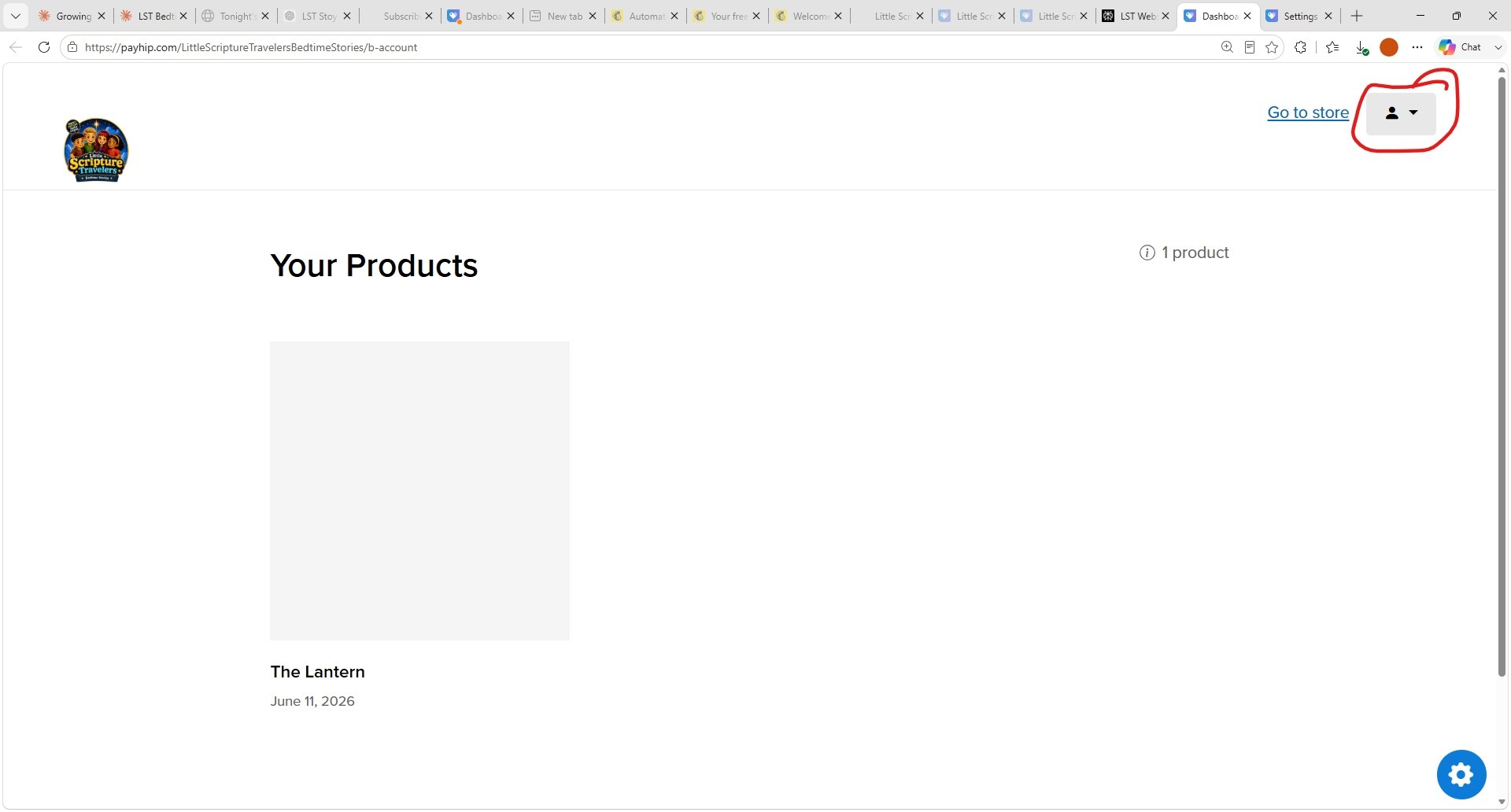 Look for this in the top-right corner. Tap the picture to see it full size.
Use the same email you signed up with. If it asks for a password, it’s the one you made when you joined.
You’ll land on a page headed “Settings” with a row of tabs across the top.
It’s the second tab in that row.
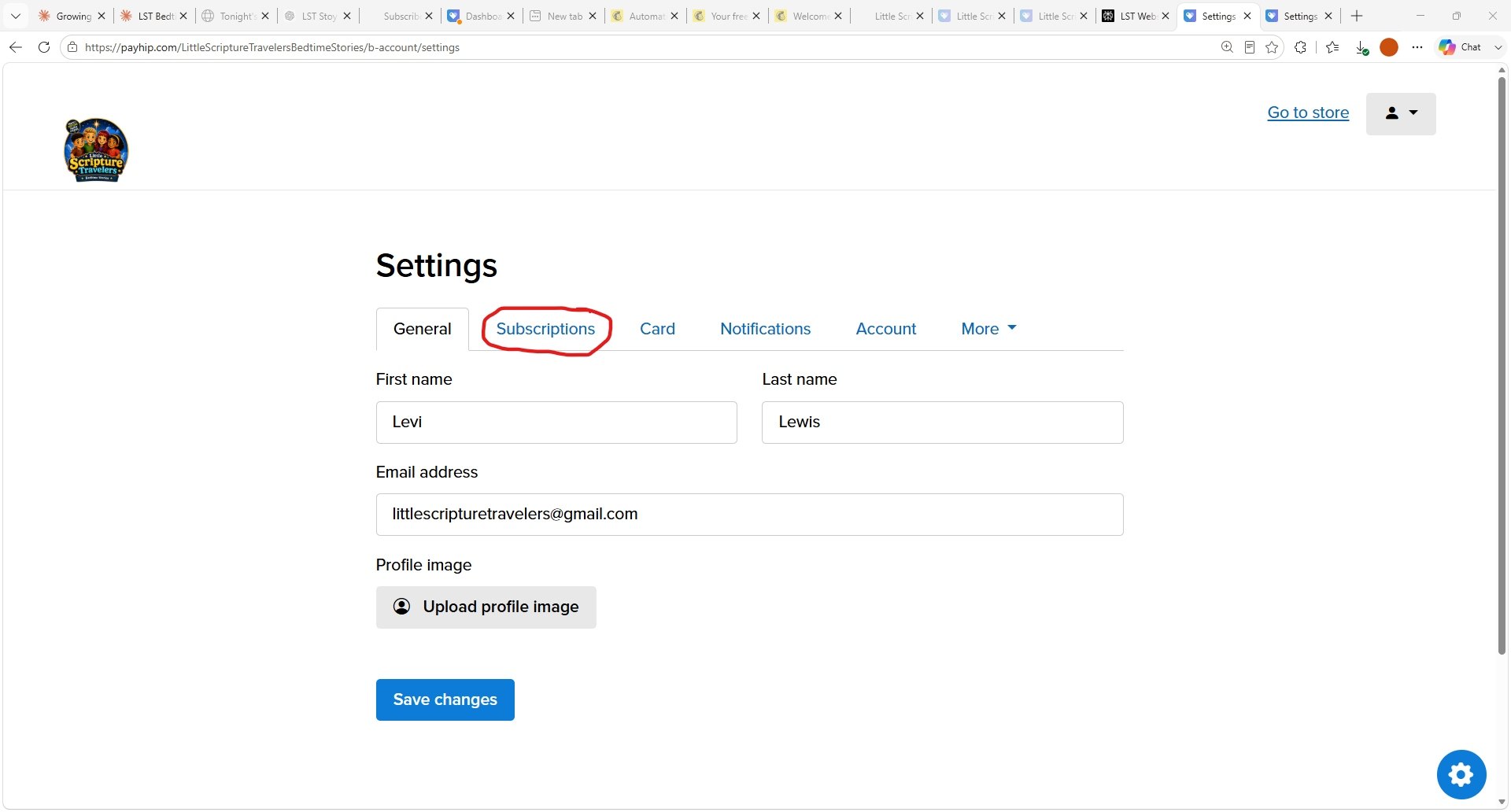 The Subscriptions tab, circled in red.
That’s it. Future payments stop straight away.
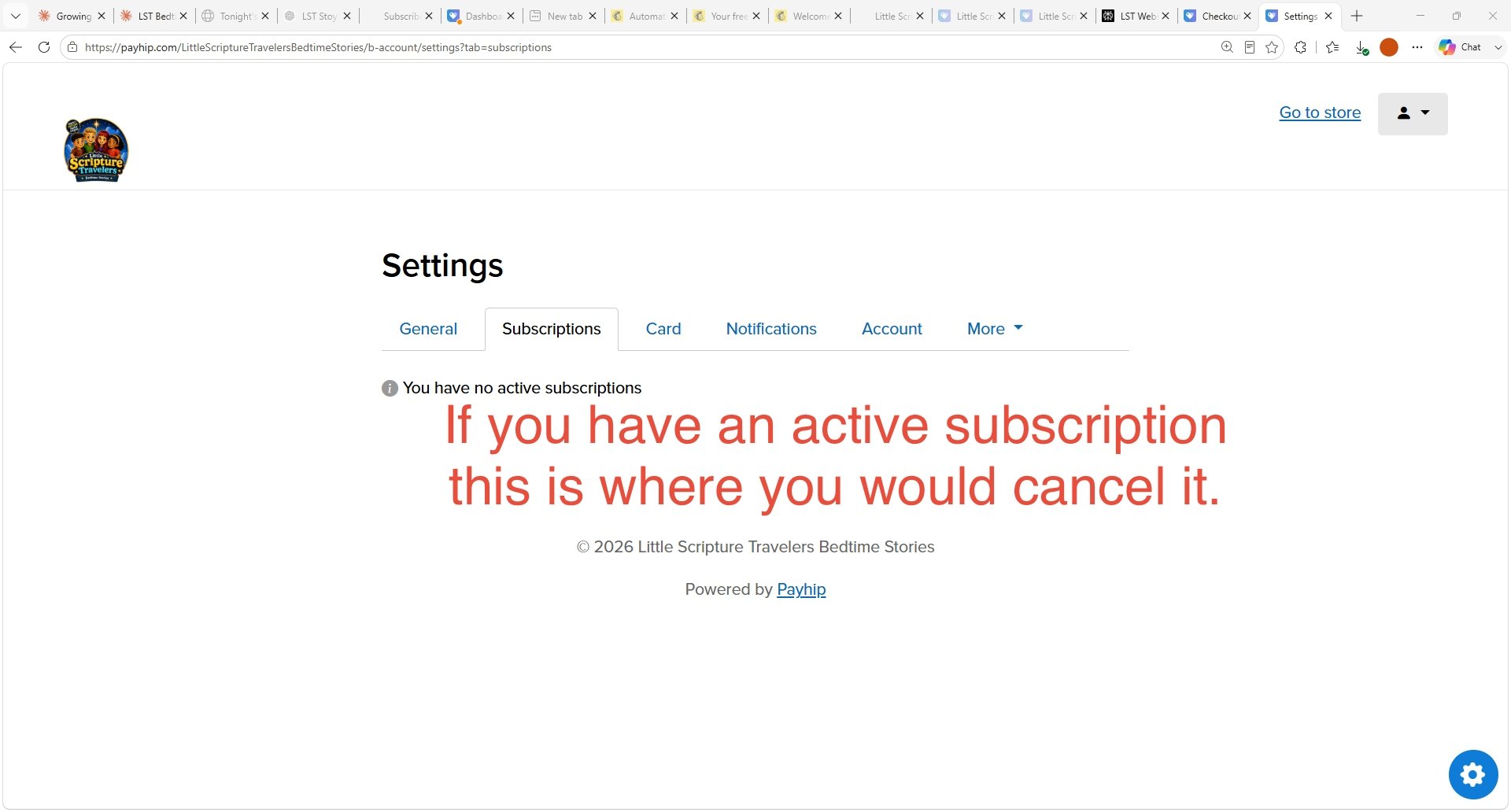 Your Lantern subscription is listed here with a Cancel link beside it.
You won’t be charged again. Cancelling stops future payments from the moment you click it.
Your account stays. Cancelling doesn’t delete anything — your login, and any family stories you’ve written, stay exactly where they are. The lantern stays lit if you ever want to come back.
The daily story email stops. You’ll stop receiving the 5 AM story once the subscription ends.
Cancel any time inside the first seven days and you are never charged at all. You don’t need to wait until the last day, and cancelling early doesn’t cut the week short — you keep the stories through to the end of it.
If anything above doesn’t match what you’re seeing, or the Cancel button isn’t where it should be, just email us and we’ll sort it out for you. No questions, no talking you out of it.